If you run a small, growing real estate team, the right CRM does three things well: it keeps every text and call tied to the same contact record, it shows the whole team where each conversation stands, and it doesn’t require a dedicated administrator to keep running.
Here’s what to actually look for in CRM software for real estate teams, the mistakes that send growing teams back to the drawing board, and how to tell when you’ve found the right fit.
What a Growing Real Estate Team Actually Needs From a CRM
1. Outbound Lead Capture & Marketing Automation
Small investor teams win by consistently touching motivated sellers over months or years. The CRM must manage massive outbound marketing channels effortlessly.
- Multi-Channel Marketing: Launches and tracks SMS, calls, and Voicemail Drops (VMDs) campaigns directly from the software.
- Data-Enrichment Integrations: Built-in or 1-click tools to instantly find accurate phone numbers and email addresses for property owners.
- Automated Long-Term Drips: Pre-built email and text sequences tailored for specific seller distress signals (e.g., pre-foreclosure, probate, tired landlords).
2. Built-In Property Data & Underwriting Tools
An investor CRM needs to help your team quickly determine if a lead is actually a deal without leaving the dashboard.
- Property Data Enrichment: Automatically pulls property specs (square footage, year built, last sale price, lien info) as soon as an address is entered.
- Virtual Street View: Instant mapping and visual overlays to inspect a property’s exterior and neighborhood vibe remotely during cold calls.
3. Integrated Phone Systems (Built-In Dialer)
Small REI teams spend hours on the phone cold calling or handling inbound marketing responses. Toggling between a cell phone and a CRM kills efficiency.
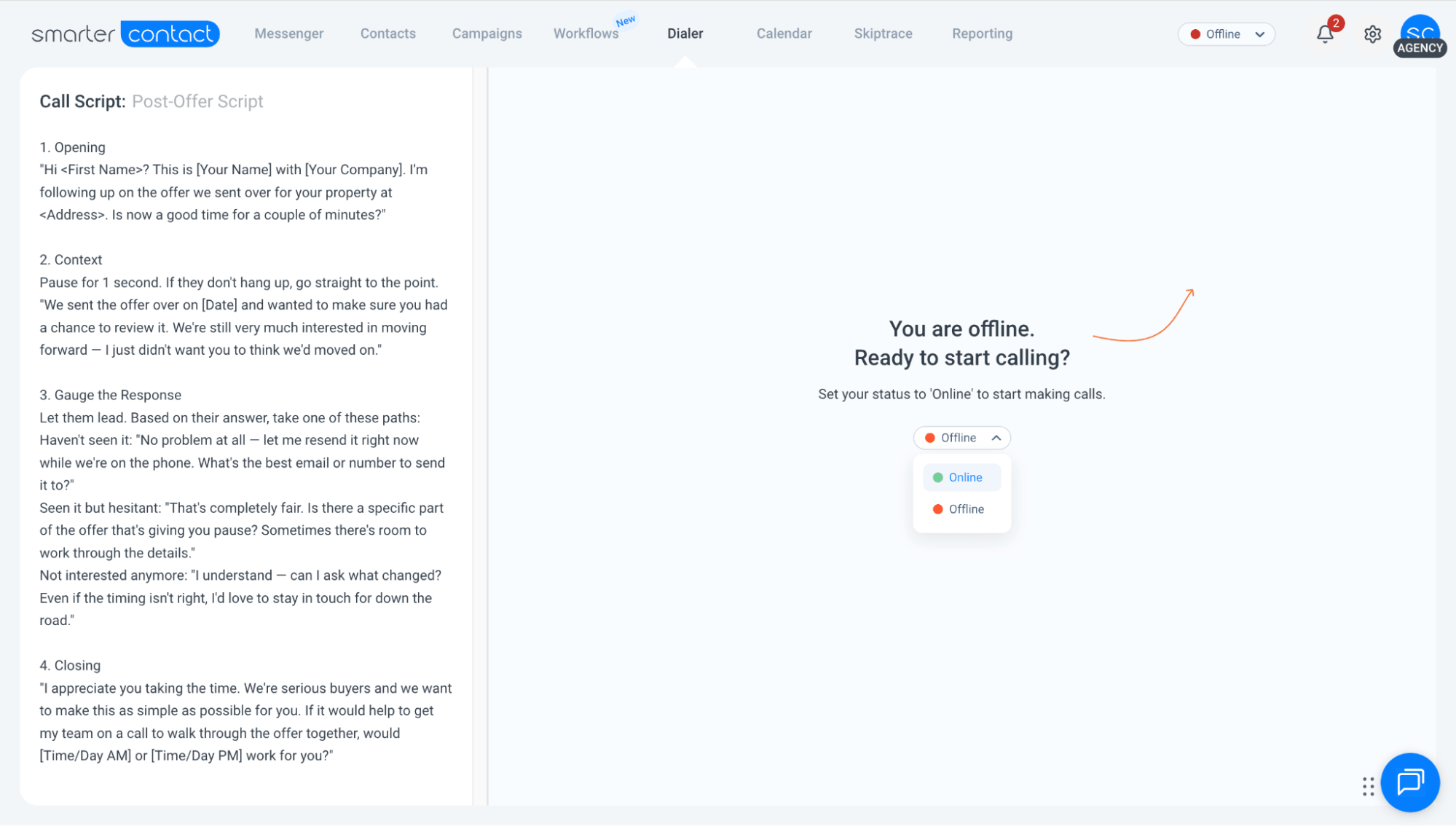
- Built-In Cloud VoIP: Allows agents to call, text, and leave notes directly within the client profile from a single screen.
- Multi-Line Click-to-Dial: Speeds up cold calling by letting a single acquisitions rep dial through marketing lists rapidly.
- Call Recording & KPI Tracking: Automatically logs calls and records conversations so the team lead can review pitches and track team metrics (e.g., dials made, talk time).
4. Campaign Reporting & Team Oversight
Budget is the whole game for a small team. Every list costs money to pull and every campaign costs hours to work, so guessing which ones are producing is a luxury you can’t afford.
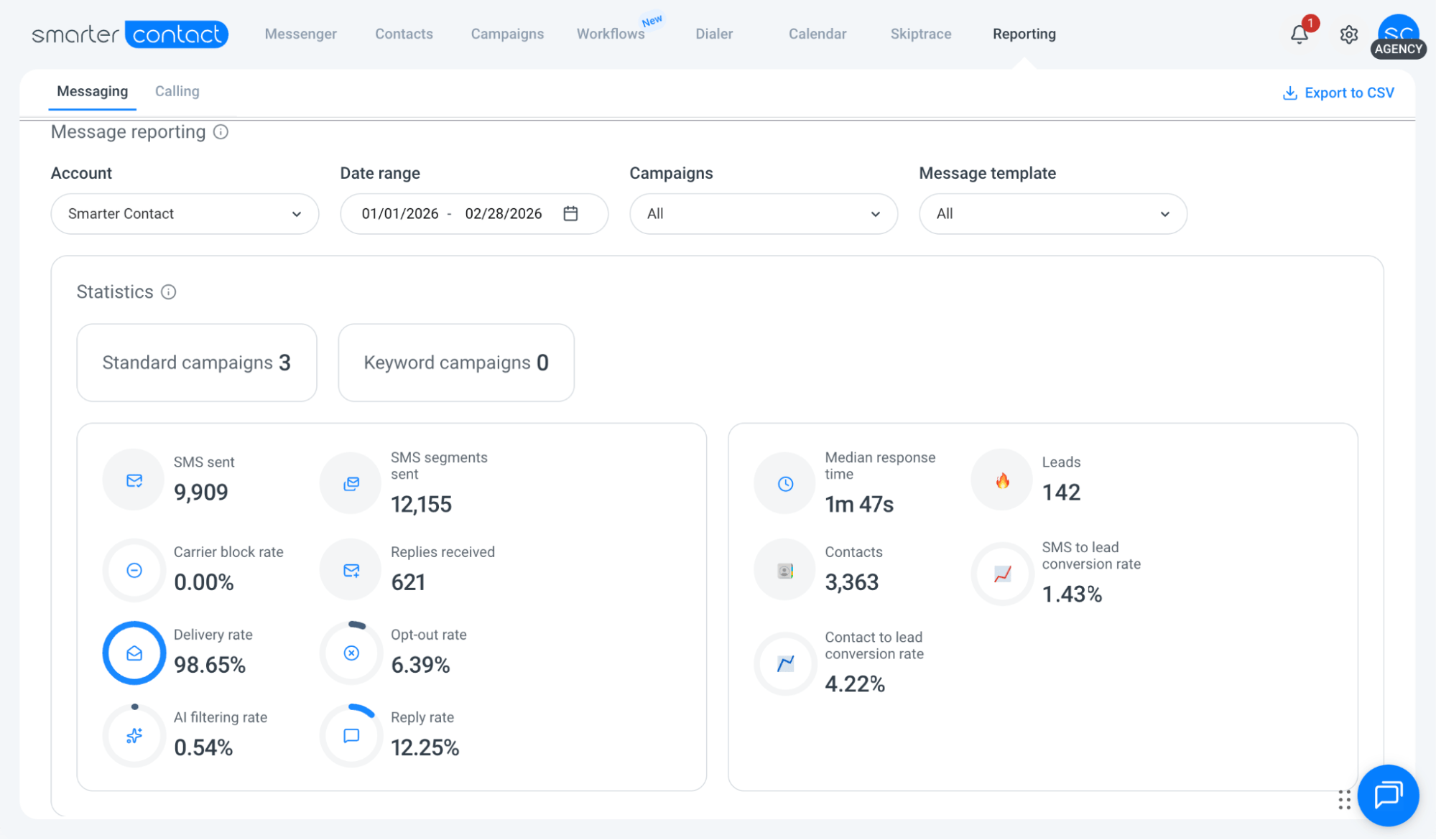
- Campaign Performance Tracking: Delivery rates, reply rates, and outcomes for every campaign as it runs, so you can shift budget while a list is still live, not after the month closes.
- List-by-List Comparison: See which data sources actually reply, so spend flows to what converts and off what doesn’t (driving for dollars vs. tax liens).
- Team Activity by Sub-Account: Each member gets their own login and workspace while the owner tracks who’s sending and replying, accountability without micromanaging.
5. Room to grow past “small”
A CRM built only for solo agents runs out of room fast: no way to add teammates, no shared visibility into who’s working what. Real estate CRM software should support the step from a one- or two-person operation into a small business CRM, and eventually a mid-sized business CRM, without forcing a full platform switch in between.
Where Small Teams Get This Wrong
Two mistakes show up again and again. The first is staying on spreadsheets and personal cell phones long after the team has outgrown them, which means no shared visibility and no record of a conversation when someone’s out sick or leaves. The second is overcorrecting into an enterprise CRM built for much larger sales floors, which brings months of setup and features a five-person team will never touch. The right fit sits in between: enough structure for real team collaboration, without the weight of enterprise software.
What This Looks Like in Practice
Smarter Contact, for example, keeps every text and call tied to the same contact timeline and the same business number, so any team member can pick up a conversation exactly where a teammate left off instead of hunting through someone’s personal phone. Calls, whether it’s a quick one-off or a Power Dialer session, log automatically against that same contact, and a missed call shows up in the shared inbox the same way an unread text does.
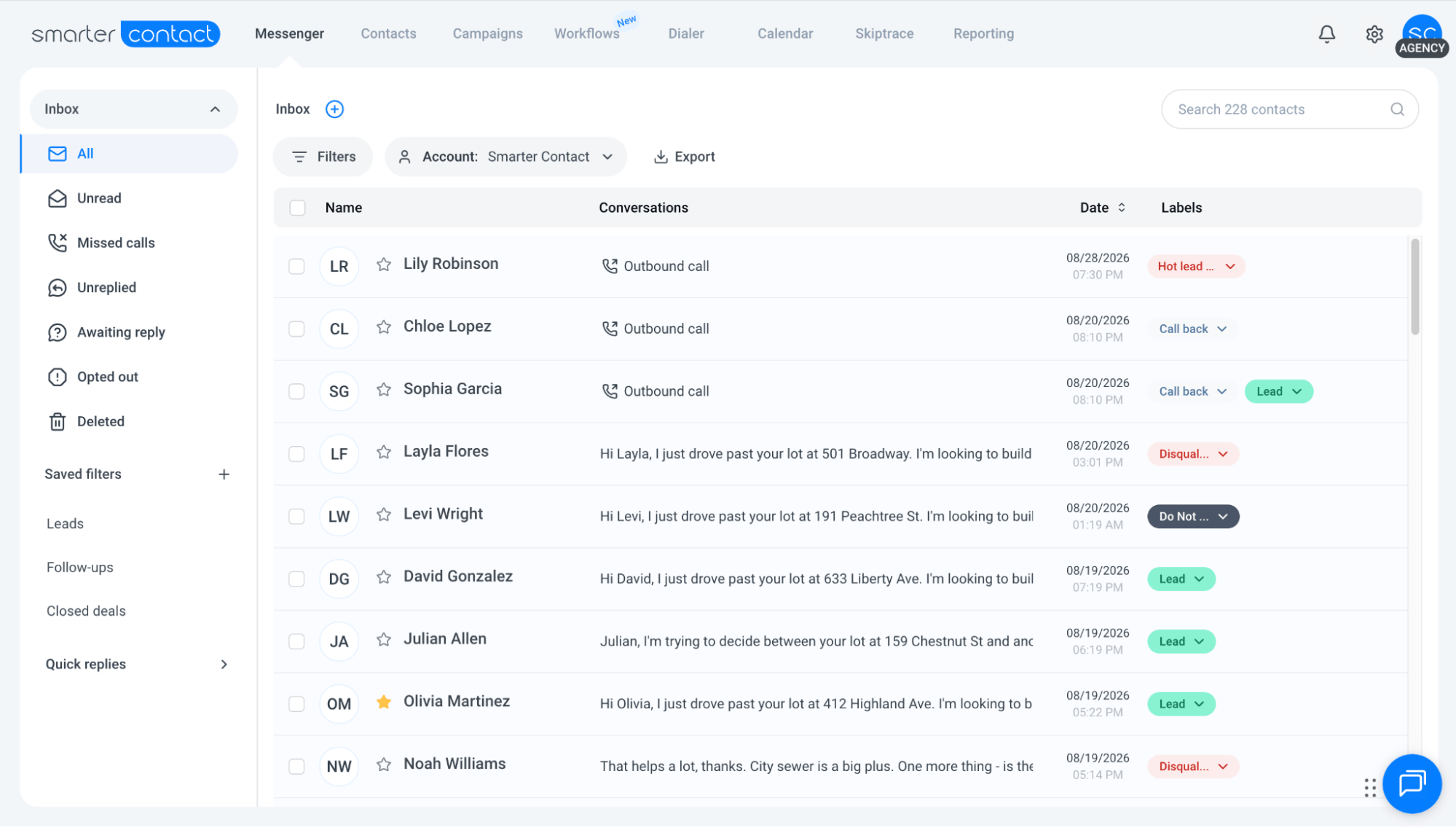
Conversations are also tagged by status (awaited reply, unread, and missed call), giving the team a running view of where every contact stands without a separate spreadsheet. Contact Workflows handle follow-up automatically once they’re set up, and sub-accounts let a growing team add members with their own logins, without needing a second platform. None of it requires a dedicated CRM administrator, which matters more the smaller the team.
Frequently Asked Questions
Do small real estate teams really need a CRM?
Once more than one person is working the same contacts, yes. Without a shared system, team members send duplicate messages, miss replies, or lose track of where a conversation left off. A CRM earns its place as soon as coordination, not contact volume, becomes the bottleneck.
Can one platform handle texting, calling, and follow-up for a real estate team?
Yes. Look for a CRM that combines messaging, calling, and automated follow-up in a single contact record, rather than piecing together a separate texting app, a calling tool, and a spreadsheet.
Is an enterprise CRM the right choice for a small real estate team?
Not usually. Enterprise CRMs are built for large sales organizations with dedicated administrators and long onboarding timelines. A small or growing real estate team generally does better with software built for their size, ready to use in days, not months.
The Bottom Line
The best CRM for a growing real estate team isn’t the one with the most features. It’s the one that keeps texts and calls in one place, gives the whole team the same view of where things stand, and handles follow-up without a dedicated administrator.
Start by listing what the team is doing manually today, texting from personal phones, tracking deals in a spreadsheet, and look for software that replaces that manual work without adding complexity. Smarter Contact offers a 7-day free trial if you want to test that against your own contacts before committing.